


Thanks to the official “inwink x Salesforce” connector, your event participants’ data can be used directly in your CRM.
The connector
inwink x Salesforce
The use of Salesforce by our users, event organizers, has been growing rapidly for several years.
For the past 5 years, our inwink event management platform has included a Salesforce connector to meet the need for real-time synchronization of inwink contact data with this CRM.

The integration features
👉 Create leads / contacts quickly in Salesforce
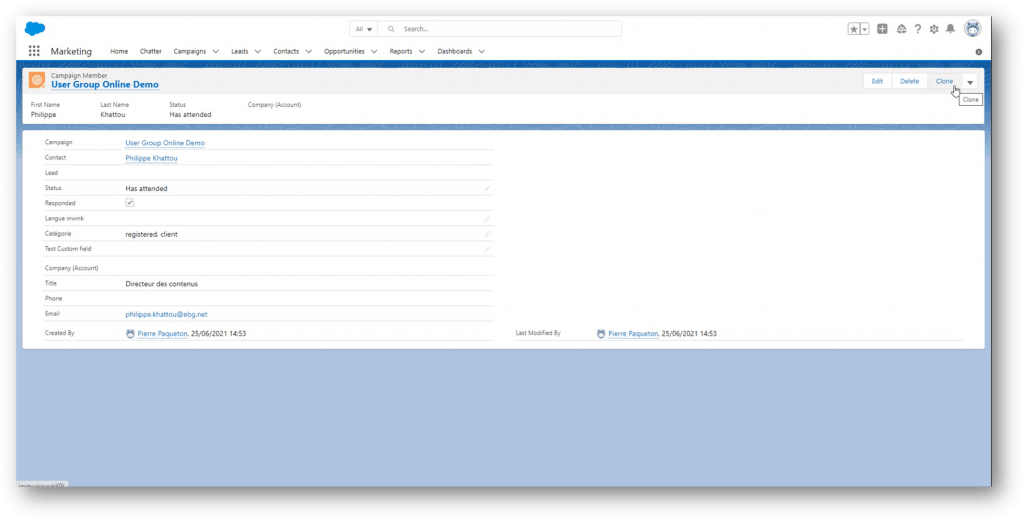
The inwink x Salesforce connector automates your lead/contact creation process in Salesforce.
It detects whether the email address used for registration in inwink exists in Salesforce and will automatically create a lead/contact if this is not the case.
You can define whether registrants and attendees at an inwink event are considered leads or contacts.
👉 Qualify leads from your events
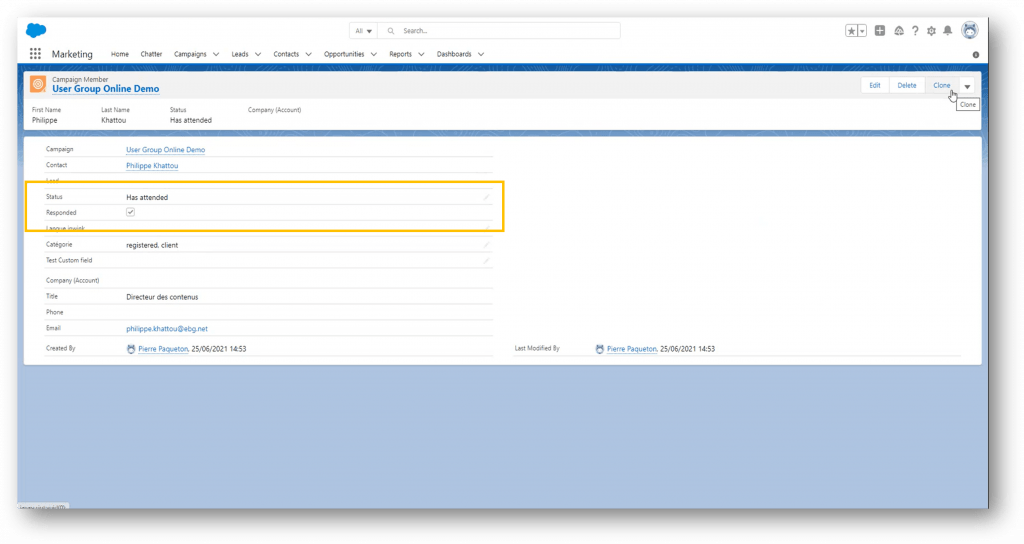
When your event ends, the inwink x Salesforce connector will automatically update the prospect/contact record with their attendance and engagement information.
This will give your sales teams more contextual information for more effective follow-up.
👉 Automatically create Salesforce campaigns from inwink events
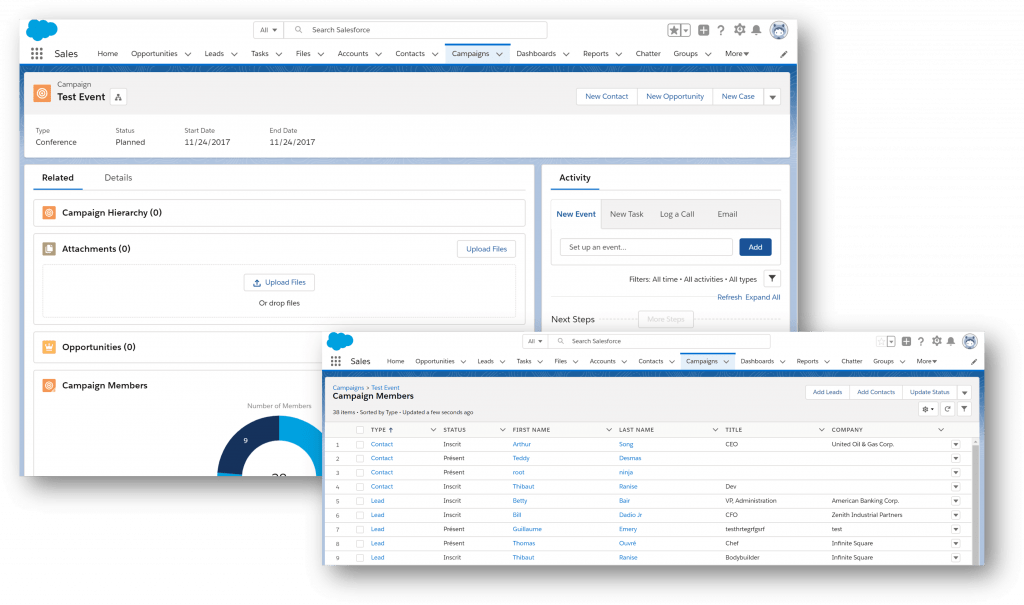
1 inwink event = 1 Salesforce campaign
- Automatically create a Salesforce campaign when creating an inwink event.
- Track event leads/contacts in your Salesforce campaigns for real-time updates.
- Get a precise view of your events’ ROI.
Users already convinced
Start integration
FAQ: Connecting your events platform to Salesforce
Why connect your inwink events to Salesforce?
Integration enables event data to be linked to the sales information already held in Salesforce. Teams can track attendees more effectively, qualify leads and analyse the contribution of events to the sales pipeline. This centralisation also makes it easier to measure the ROI of events.
How do I connect inwink to Salesforce?
The inwink x Salesforce connector allows you to synchronise data from your events with your CRM. Participants can be automatically created or updated in Salesforce according to defined rules. This eliminates the need for manual imports and makes it easier to follow up with sales teams after the event.
How should event leads be categorised in Salesforce?
Attendance and engagement data collected in inwink can automatically populate lead and contact records in Salesforce. This gives sales teams more context to help them prioritise their follow-ups. It makes it easier to carry out more targeted follow-ups after the event.