AI to run your events

AI gives you back time to run your events

  • Less data entry thanks to pre-filled profiles
  • Fewer requests thanks to the assistant
  • Reports turned into charts

inwink AI lightens the workload of your operations, sales and leadership teams.
Onglet : Before

Exhibitors › Booth B42 profile

Champ : Exhibitor website

www.example-exhibitor.com

  • Pre-fill from the website

Profile prepared by AI Description, categories and keywords filled in. [Approve]

Onglet : During

Reception › Attendee questions

  • ? Where do I pick up my badge? Answered
  • ? What time does hall 2 open? Answered
  • ! Accessibility request Forwarded

Onglet : After

Dashboard › Areas of interest

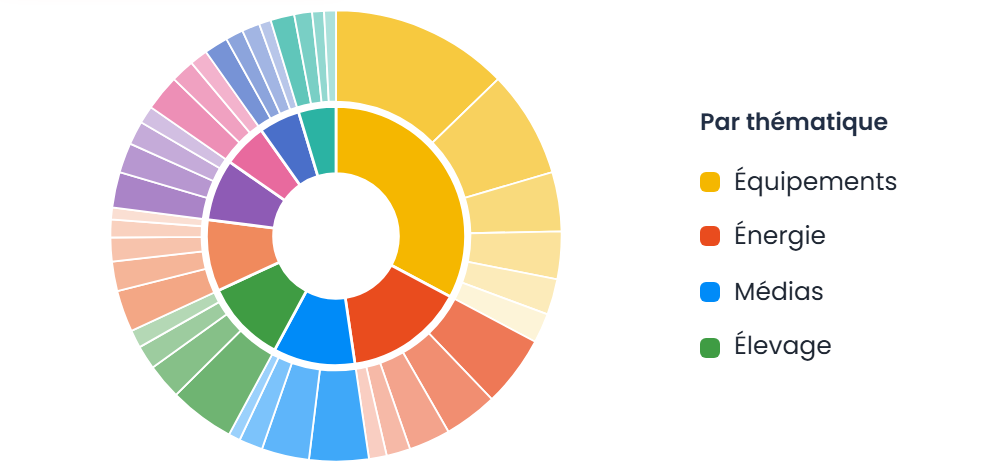
  • Generate a chart

AI-generated chart: attendee areas of interest by topic

How does AI help run an event?

inwink’s event AI lightens the tasks that tie up your teams, at every stage. Before the event, it prepares exhibitor profiles from their website. During the event, the assistant answers attendees’ frequently asked questions. Afterwards, it highlights the edition’s strengths and generates the charts for your report. AI suggests; your team reviews, corrects and decides.

AI at every stage of running your event

Before

Plan ahead

  • Pre-filled exhibitor profiles
  • Profiles completed without reminders

During

Stay in control

  • Engagement, meetings and leads tracked
  • Fewer requests at the reception desk

After

Measure

  • Performance analyzed
  • Next edition prepared faster

1

Before the event

Plan ahead

Complete data, without data entry or reminders

The exhibitor enters their website and AI prepares their profile. Attendees complete their profile in seconds with a generated bio. Your teams spend less time entering data and chasing people.

Exhibitors › Booth B42 profile

Champ : Exhibitor website

www.example-exhibitor.com

  • Pre-fill from the website

Profile prepared by AI Description, categories and keywords filled in from the exhibitor’s website. [Adjust] [Approve]

2

During the event

Stay in control

Fewer requests for your teams

The website and app assistant answers attendees’ frequently asked questions. Your teams stay available for the requests that truly need them. See the attendee assistant

Reception › Attendee questions

Champ : Questions handled by the assistant today

  • ? Where do I pick up my badge? Answered
  • ? What time does hall 2 open? Answered
  • ! Specific accessibility request Forwarded to the team

3

After the event

Measure

Performance analyzed and turned into charts

In one click, AI highlights the edition’s strengths and areas for improvement, and generates the charts you need for your report.

Responses to your satisfaction surveys round out the report.

You prepare the next edition from clear lessons learned, without compiling figures by hand.

The edition’s highlights then become articles, emails or podcasts with AI for event marketing.

Dashboard › Edition report

  • 8,950 Attendees
  • 74% Show-up rate
  • 12,400 Leads scanned
  • Analyze with AI

AI summary Morning sessions show a 22% higher fill rate. Idea for the next edition: schedule highlights before noon. [Export the report]

What AI changes for each team

The same data, three uses: everyone saves time on what doesn’t require their expertise.

🧭

Operations team

The assistant handles attendees’ frequently asked questions, on the website and in the app. The reception team focuses on the requests that truly need it.

🤝

Sales and exhibitor team

Exhibitor profiles pre-fill from their website. Meetings and contacts are tracked in your dashboards, with exhibitor lead tracking.

📊

Leadership

The report arrives with its strengths, areas for improvement and charts, built from your event dashboards. The next edition is decided on facts.

Maison&Objet Open MCP Workshop prototype

“We managed to build the performance tracking dashboard in under two hours. We usually do it by hand, and it takes us quite a while.”

Anne-Laure Helleouet DhazeAnne-Laure Helleouet Dhaze
Maison&Objet

Open MCP

Go further with your own AI assistant

Connect Claude, ChatGPT or another assistant to inwink to query your operational data and prepare your reports without exporting anything.

  • 📊 Analyze your events
  • 🧩 Build your own tools
  • 🧱 Build your websites Coming soon

> How many registrants at D-7?

inwink data

3,412 registrants, +18%

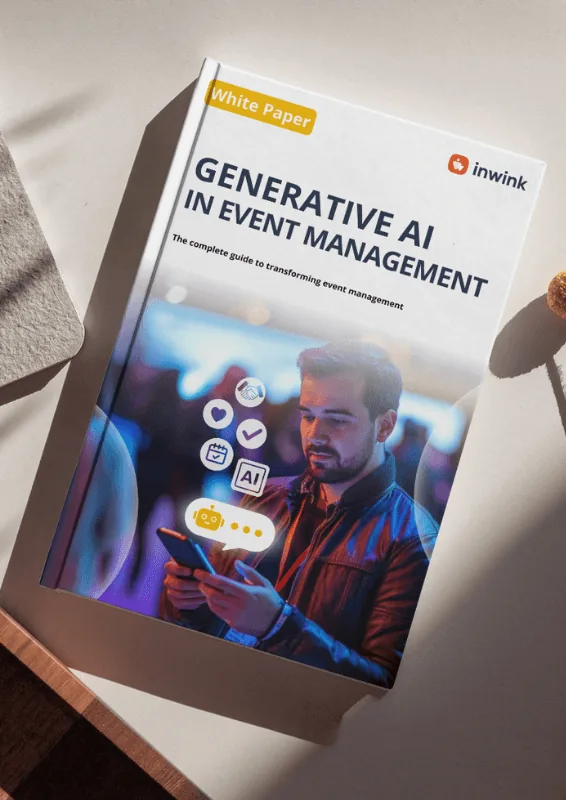
White paper: generative AI for events

White paper to download

Generative AI for events

How AI can be used at every stage of your events, and best practices to put it in place.

Frequently asked questions

Do I need to configure the AI before using it?

No. AI features are built into the inwink platform: pre-filling, the assistant and analyses are available right away.

Does my team stay in control?

Yes. AI suggests; your team reviews, corrects and decides what is published or shared.

What analyses does AI produce after the event?

It highlights the edition’s strengths and areas for improvement, and generates the charts for your report from the data in your inwink dashboards.

Does the attendee assistant replace the reception desk?

No. It handles frequently asked questions so your teams stay available for specific requests.

Is my data used to train AI models?

No. inwink does not train any AI model on your data, and the built-in AI relies on professional plans that exclude training. With your own assistant, the policy of your Claude or ChatGPT account applies: inwink MCP security and privacy.

Can I query my operational data in plain language?

Yes, with the inwink MCP: your assistant (Claude, ChatGPT…) has read-only access to the data available to your account.

Give your teams their time back

Less data entry and fewer requests, more time to run your events.