


inwink MCP
Connect your AI to your events
- It analyzes your data
- It builds your tools
- It builds your websites
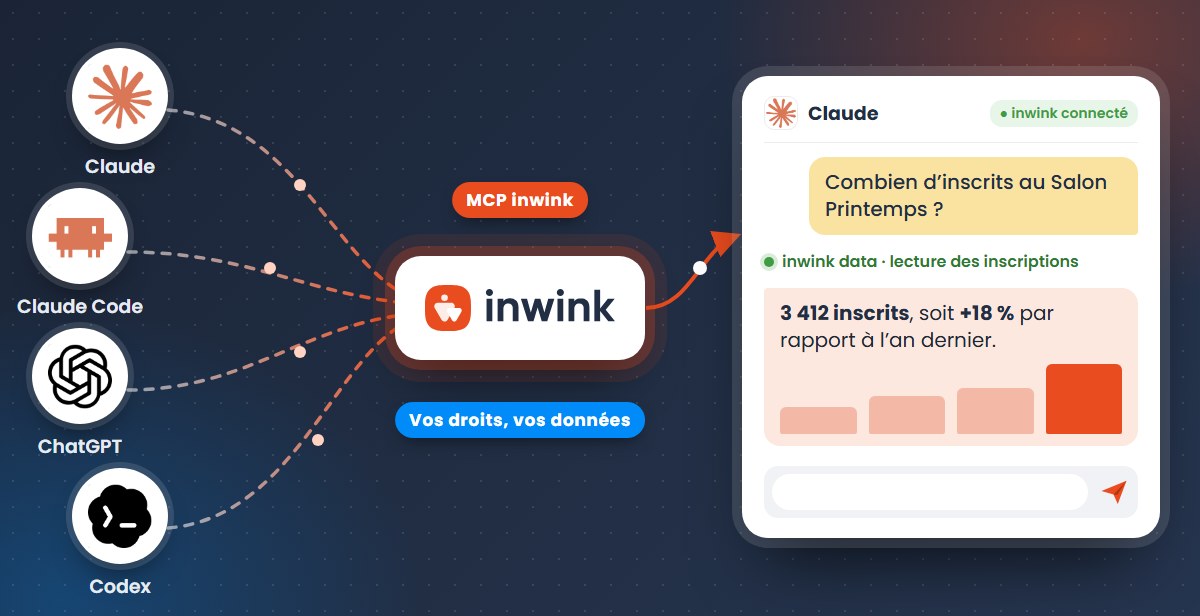
Claude, ChatGPT or the assistant your organization has chosen, connected to inwink with your permissions.
inwink MCP
Claude, ChatGPT or the assistant your organization has chosen, connected to inwink with your permissions.
Fenêtre : Claude or ChatGPT, connected to inwink
Scénario : Analyze
Compare Spring Show registrations with last year, at the same date.
inwink data: reading registrations, 2025 and 2026 editions
3,412 registrants, up 18%. Trade visitors show the strongest growth.
Scénario : Create
Build a screen so our co-organizer can approve registration requests.
inwink extensions: reading registration requests
inwink extensions: creating the “Registration approval” extension
✓ Extension published in your inwink back office
Scénario : Build
Add a partners page to the Spring Show website.
inwink cms: creating the page in preview
✓ Page ready to check before publishing
Coming soon Building your websites is coming soon.
Each connection authenticates with an inwink account, and each use goes through a separate server: Data MCP, read-only; Development MCP, to publish versioned extensions owned by your organization; CMS MCP (coming soon), with preview before publishing. Your assistant changes nothing without your approval, and inwink does not train any model on your data.
How it works
The MCP (Model Context Protocol) is an open standard that lets an AI assistant understand and use software. Without it, your assistant only knows what you paste into it. With the inwink MCP, it works directly on your events and communities, following three principles.
🗣️
Ask your question as you would a colleague: no formula, filter or report to build.
🔐
Your assistant connects with your account and only sees what you see.
🔓
The assistant, the subscription and the settings chosen by your organization.
Analyze
Create
1
Analyze Available
Query the events and communities you have access to: registrations, attendees, sessions, exhibitors, history across several editions. No export or dashboard to build: the answer arrives in seconds, with a chart if you ask for one.
For example
Data MCP access, read-only: your assistant views, it does not change anything.
Claude or ChatGPT, connected to inwink
Compare Spring Show registrations with last year, at the same date.
inwink data: reading registrations, 2025 and 2026 editions
3,412 registrants, up 18%. Trade visitors show the strongest growth.
2
Create Available
A specific need shouldn’t have to wait for a product roadmap. Describe the tool, your assistant builds it, you publish it in your back office. Example: a dashboard to track registrations for your upcoming events.
1
I’d like a dashboard that lists my upcoming events with their date and number of registrants, and shows me their attendees when I click.
2
It relies on the available data.
3
Highlight the incomplete profiles.
4
Your team finds it like any other tool.
Registration tracking
Published, version 1
Development MCP access. The extension goes through the inwink API with the logged-in user’s permissions, works without the assistant once published and belongs to your organization.
3
Build Coming soon
Ask your assistant to create a page, add a section or rewrite a block: it works directly on your inwink website, in preview. You check it, then publish when you’re ready.
For example
CMS MCP access. No separate website to host, no syncing: everything stays on the platform.
Claude or ChatGPT, connected to inwink
Add a partners page to the Spring Show website.
inwink cms: creating the page in preview
✓ Page ready to check before publishing
Page : Our partners
Extensions designed by event teams, most of them during a one-day workshop.

In production 2.5 to 3 hours
Tracking calls for applications and the related payments.
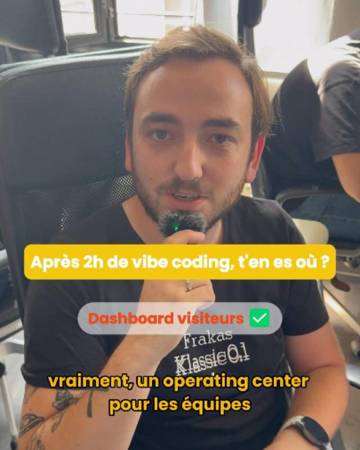
Workshop prototype
An operations center to spot visitors who need action.

Workshop prototype
A dashboard that brings together data from several partner entities.

In production
A duplicate attendee detector and session registration tracking, built independently.
Security and governance
Answers to the questions teams and IT departments ask most often.
Only the scope accessible to the inwink account being used.
Not with the Data MCP, which is read-only. Other access respects your account permissions.
In inwink, through the inwink API, with the logged-in user’s permissions.
Your organization. Another administrator can take it over, edit it or unpublish it.
Each publication creates a new version, with rollback available.
Not at inwink. On the assistant side, it depends on your account: professional plans do not train models by default, and individual plans offer a setting to turn it off.
MCP guide to download
Everything you need to get started with the inwink MCP: key concepts, the four-step method, real customer cases and the first steps to connect your assistant.

Oct 15
AI workshop
Come with a problem, leave with a solution.
The Model Context Protocol is an open standard that lets an AI assistant communicate with the data and features exposed by software.
An export provides a frozen copy of data. The MCP lets your assistant directly query the information available in inwink at the moment you ask your question.
No. You describe the result you want in plain language. To analyze your data, connecting your assistant is enough. Building extensions requires a one-time setup on the workstation, which your IT team can handle.
Yes, if your account has the corresponding permissions. You can compare several editions or several communities.
If the other software also offers an MCP connection compatible with your assistant, it can work with both sources, within the permissions each one grants.
Assistants that support the MCP protocol, including Claude and ChatGPT.
Request a demo or contact your CSM: we’ll present the access terms that suit your organization.
Analyze your data and build tools specific to your organization, with the AI assistant your teams already use.
 The B2B event and community platform