


Track the activity of your event attendees and/or members of your inwink community within your HubSpot CRM.
inwink x Hubspot integration
Your inwink data is directly integrated into HubSpot
The official connector
inwink x HubSpot
The use of HubSpot amongst our users, event organisers and B2B community managers, has been growing rapidly for several years.
For the past five years, we have offered an official HubSpot connector on our event and community management platform, inwink, to meet the need for real-time synchronisation of inwink contact data with this CRM.

The features ofd the integration
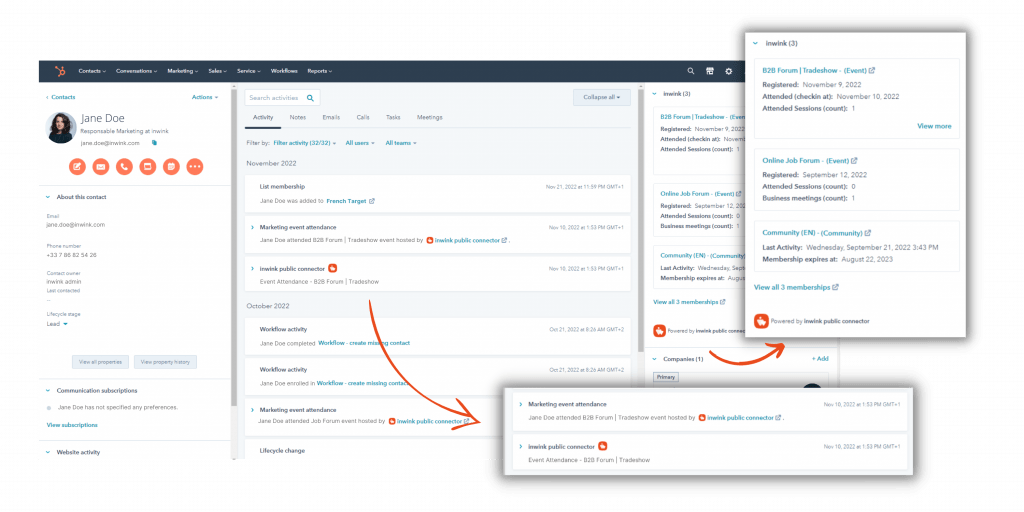
👉 Enrich and update your CRM
The “inwink x HubSpot” connector will synchronise:
- The information provided by your contacts (surname, first name, email, company and other custom data)
- All actions carried out on your inwink sites.
It will allow you to choose whether or not you want to replace the data in your CRM with the information collected by inwink.
This data can then be used by:
- Sales representatives, who will be able to tailor their sales pitches.
- Marketers, who will be able to implement targeted marketing campaigns.
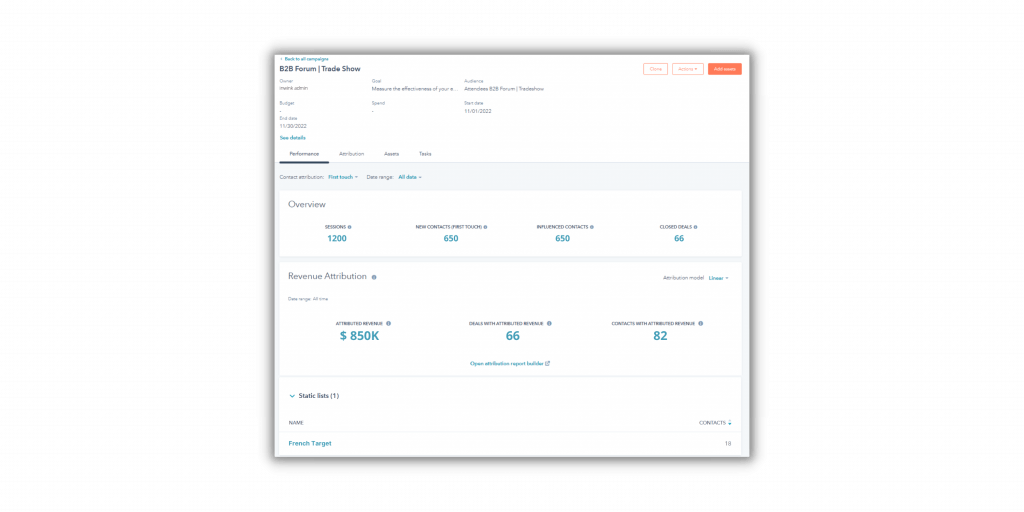
👉 Integrate your inwink contacts into your HubSpot campaigns
Track contacts from your events and communities within your HubSpot marketing campaigns for real-time updates.
Gain an accurate picture of the ROI of your inwink events and communities.
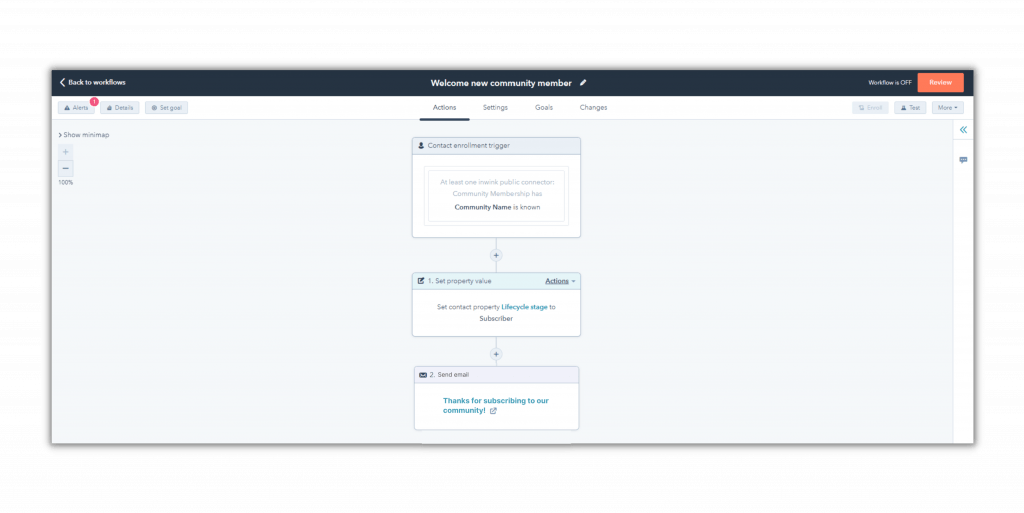
👉 Trigger workflows in HubSpot
By using inwink data as triggers, you can automate actions in HubSpot (welcome emails, confirmation emails, lead assignment, etc.), and also update:
- Contacts, companies, deals, quotes and tickets in HubSpot.
- Information records, for example by updating the company associated with a saved contact.
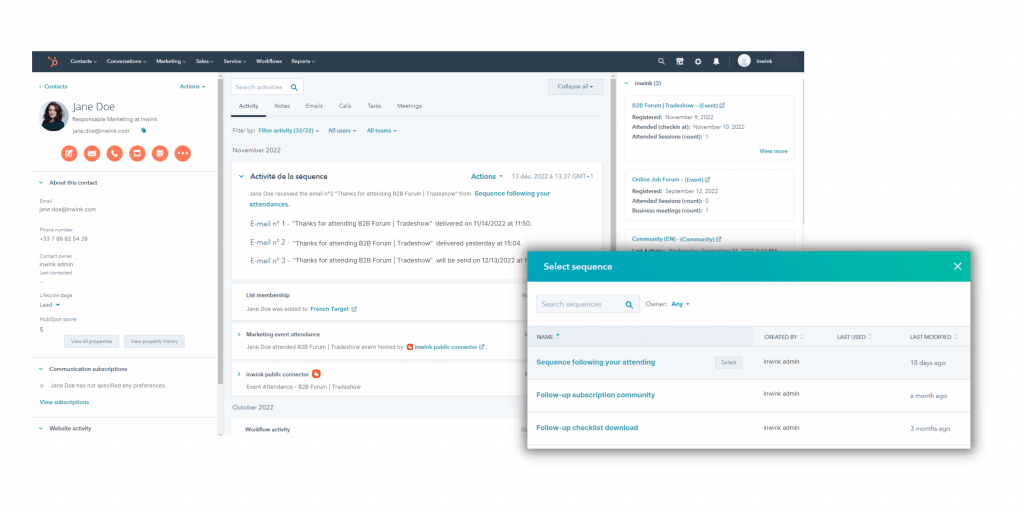
👉 Create dynamic contact lists from HubSpot Marketing Events
Marketers will be able to link all contacts generated by their inwink events to a HubSpot Marketing Event.
This will enable them to create dynamic contact lists based on registrations, attendance or unsubscriptions from these events, and include them in HubSpot sequences.
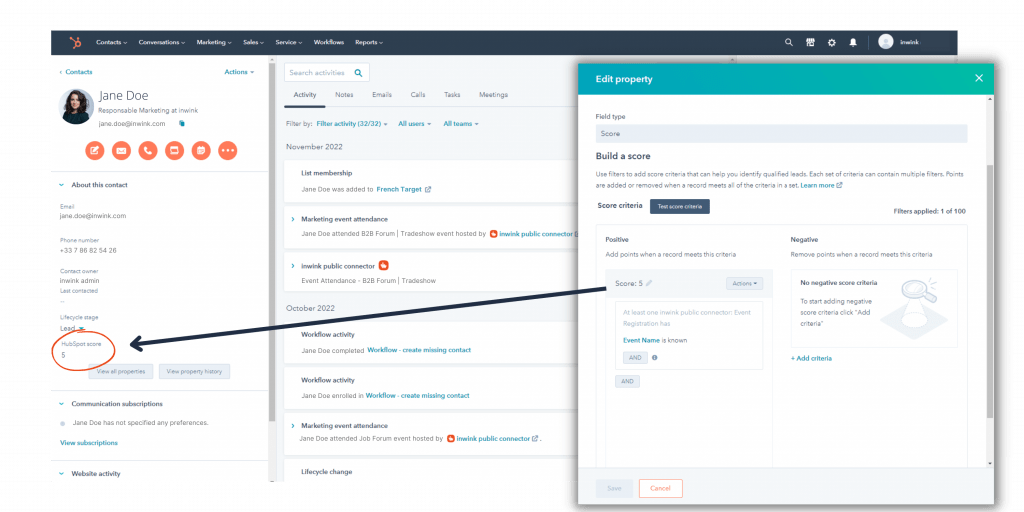
👉 Score your leads based on their actions in inwink
Track all your inwink contacts’ activities, such as their participation in sessions or the documents they view, directly in HubSpot to assign them a score (lead scoring).
This scoring system enables marketers to identify the contacts most interested in a product and automatically add them to a list of ‘qualified leads’ using dynamic segmentation.
Already used by our customers
Get started with the inwink x HubSpot integration
I am an inwink user
I start the installation
Consult the installation guide
FAQ: Connecting your events platform to HubSpot
Why connect your inwink events to HubSpot?
Connecting inwink to HubSpot enables event data to be linked with the marketing and sales data already stored in the CRM. Teams can segment their contacts more effectively, personalise their campaigns and make the most of the engagement signals generated by events. This centralisation also makes it easier to analyse their contribution to the marketing journey and ROI.
How do I connect inwink to HubSpot?
The inwink x HubSpot connector enables you to synchronise data from your events and communities with your CRM. This means that contact information and their activities in inwink can be utilised directly within HubSpot. This integration eliminates the need to manually manage data transfers between the two platforms.
What inwink data can be synchronised with HubSpot?
This integration enables contact information and the actions they have taken in inwink to be synchronised. Registrations, attendance and other interactions can thus enrich the profile of each contact in HubSpot. Marketing and sales teams gain a more comprehensive view of their engagement.